ExtensionsFree
Player Manager
by CaloptreyxCalagopus extension: manage players of Minecraft Java and Bedrock servers (online players, whitelist, operators, bans).
No ratings yet
Calagopus panel extension: browse and install Vintage Story mods from the official ModDB
Calagopus panel extension: browse and install Vintage Story mods from the official ModDB
VS Mod Installer A Calagopus Panel extension that makes installing and managing Vintage Story mods easy. Browse the official Vintage Story ModDB, install mods with one click and manage everything in the server's Mods folder, all from the server's VS Mods page. The Vintage Story sibling of MC Mod Installer. Package name: dev.caloptreyx.vsmodinstaller · Requires panel >=1.2.10 Features • Browse the ModDB with search, tag and game version filters, sorting (relevance, downloads, follows, trending, recently updated, newest) and a toggle for client-only mods, which are hidden by default because a server can't use them. The game version filter starts at the server's version. • Mod Details page with the description (ModDB HTML, sanitized), screenshots, links and a Releases tab: every release with its game versions, channel and how well it fits the server, with search and filters. • Install Mod modal: picks the newest release made for the server's game version (stable before pre-release, then the same major version, then the newest at all) and warns, without blocking, when the chosen release isn't made for the server's version or only runs on the client. • Dependencies: after an install, the mod's modinfo.json dependencies are checked against the installed mods. Missing or outdated ones are offered from the ModDB with one click each; anything that can't be resolved (not on the ModDB, no release, too new for the game) is listed with the reason. One level deep; the game's own game, survival and creative mods are skipped. The installed list also flags mods with unmet dependencies. • Manage installed mods: every .zip, .dll, .cs and folder mod in the Mods folder, named by its modinfo.json (mod id, version, name, authors, side, dependencies) and matched to the ModDB by mod id. Shows update available for the release that fits the game version; update replaces the old file only after the new one has downloaded, and warns with the file name if the old file can't be removed (the new one stays installed). • Enable or disable a mod with one switch. Disabled mods are renamed to .disabled; Vintage Story only loads .zip, .dll and .cs files (checked in its ModLoader), so it skips them. Updates keep the old file's enabled state. Folder mods can't be disabled this way. • Detection badges show the detected game version and Mods folder; hover a badge to see where the value came from. An alert appears when something can't be detected. Screenshots Browse: the ModDB filtered to the detected game version. Install Mod modal: the release picked for the server's game version. Dependencies: missing dependencies offered after an install. Installed: the mods in the Mods folder with versions and enable switches. Installation Download devcaloptreyxvsmodinstaller.c7s.zip from the latest release. Then either upload it under Admin → Extensions, or put it in your heavy image's build/extensions/ directory and run docker compose restart web. Extensions require the :heavy panel image (or a dev environment); see the Calagopus docs. No configuration is needed. The VS Mods page appears in the sidebar of every server the user may read files on (the panel's route API has no per-server visibility); on servers that aren't Vintage Story it only shows a notice and every endpoint refuses with 409. To hide it for other eggs, use the egg configuration's route order. How detection works Everything is read through the panel's file access (Wings) as the acting user sees it, so subuser ignored files stay hidden. Vintage Story server: one of VintagestoryServer.dll, VintagestoryServer, VintagestoryAPI.dll, VintagestoryLib.dll in the server root, else vintagestory in the startup command, else "Vintage Story" (or vintagestory, vintagestory, vintage-story) in the egg, nest or Docker image name. An admin can replace this with a list of eggs (see below). Data path: --dataPath from the startup command (startup variables substituted, quotes and --dataPath= handled, absolute /home/container/... paths made relative), else the game's default /.config/VintagestoryData, which is .config/VintagestoryData in the server root. The Caloptreyx egg and the common Pterodactyl/Pelican eggs pass --dataPath, typically /home/container/data. Mods folder: the first entry of ModPaths in /serverconfig.json that lies inside the server files and isn't the binaries' own Mods folder (which holds the game's VSEssentials.dll and co.), else /Mods, the game's default. The folder is created on the first install. Game version, in this order: 1. VintagestoryAPI.dll in the server root: the assembly version in its version resource (1.22.7.0) is the game version of the installed binaries, when it matches the API version in FileVersion (1.22.0); 1.21 builds carry a constant 1.0.0.0 and are skipped. It has no pre-release suffix, so a .vs-version or log version with the same major.minor.patch refines it (1.23.0-rc.2). 2. .vs-version in the server root, written by the Caloptreyx Vintage Story egg's installer. 3. Game Version: v1.22.7 (Stable) in /Logs/server-main.log (or in --logPath), logged on every start. 4. A startup variable such as VSVERSION or GAMEVERSION holding a concrete version. The binaries come first because a log from before an update would be stale. Reading the DLL, the config and the log needs files.read-content; without it the version stays unknown and the user picks it. Supported versions Any Vintage Story 1.x server: versions are compared as major.minor.patch with -dev.N, -pre.N and -rc.N pre-releases, the format of the game and the ModDB. Detection was written against the 1.22.7 server (file layout, ModLoader, log line, DLL version resource). ModDB API used Public API v1 at https://mods.vintagestory.at/api, no key. All requests come from the panel, with a User-Agent naming this extension; the browser only loads mod logos and screenshots from the ModDB. | Endpoint | Used for | Cached | | --- | --- | --- | | GET /api/mods | the whole catalogue (about 10,000 mods, 4 MB): search, tag filter, sorting and paging happen in the panel, so typing never reaches the ModDB | 10 min, one request at a time; the old list is served if a refresh fails | | GET /api/mods?gv= | which mods have a release for a game version | 10 min | | GET /api/mod/ | description and releases (mainfile, filename, modversion, game version tags, created) | 5 min, unknown mods too | | GET /api/gameversions | the game version filter | 1 hour | | GET /api/updates?mods=@,... | which installed mods have any newer release (40 per request); only those are looked up in full | 5 min | The API answers unknown mods with 200 OK and "statuscode": "404" in the body. Tags come from the catalogue itself, so /api/tags isn't needed. Permissions The extension uses the panel's existing file permissions: | Action | Permission | | --- | --- | | View the VS Mods pages | files.read (files.read-content is also needed to read modinfo.json, the game version and serverconfig.json) | | Install a mod or a dependency | files.create | | Enable / disable a mod | files.update | | Update or switch a mod's version | files.create and files.delete | | Delete a mod | files.delete | Installs go through the panel's file pull endpoint (Wings downloads the ModDB file itself, under its original file name); renames and deletions use the panel's rename and delete endpoints. So they respect subuser ignored files and appear in the server's activity log. The extension's own endpoints only read. Admin settings Admin → Extensions → VS Mod Installer (extensions.read / extensions.manage): • Eggs: only servers of these eggs get the mod installer (empty: every server detected as Vintage Story). • Largest mod archive read: Wings opens .zip files as folders, so enabled mods only read their modinfo.json. Disabled mods (.zip.disabled) can't be opened that way, and Wings won't serve an archive as file contents, so their archive is downloaded in full from the no
Calagopus extension: manage players of Minecraft Java and Bedrock servers (online players, whitelist, operators, bans).

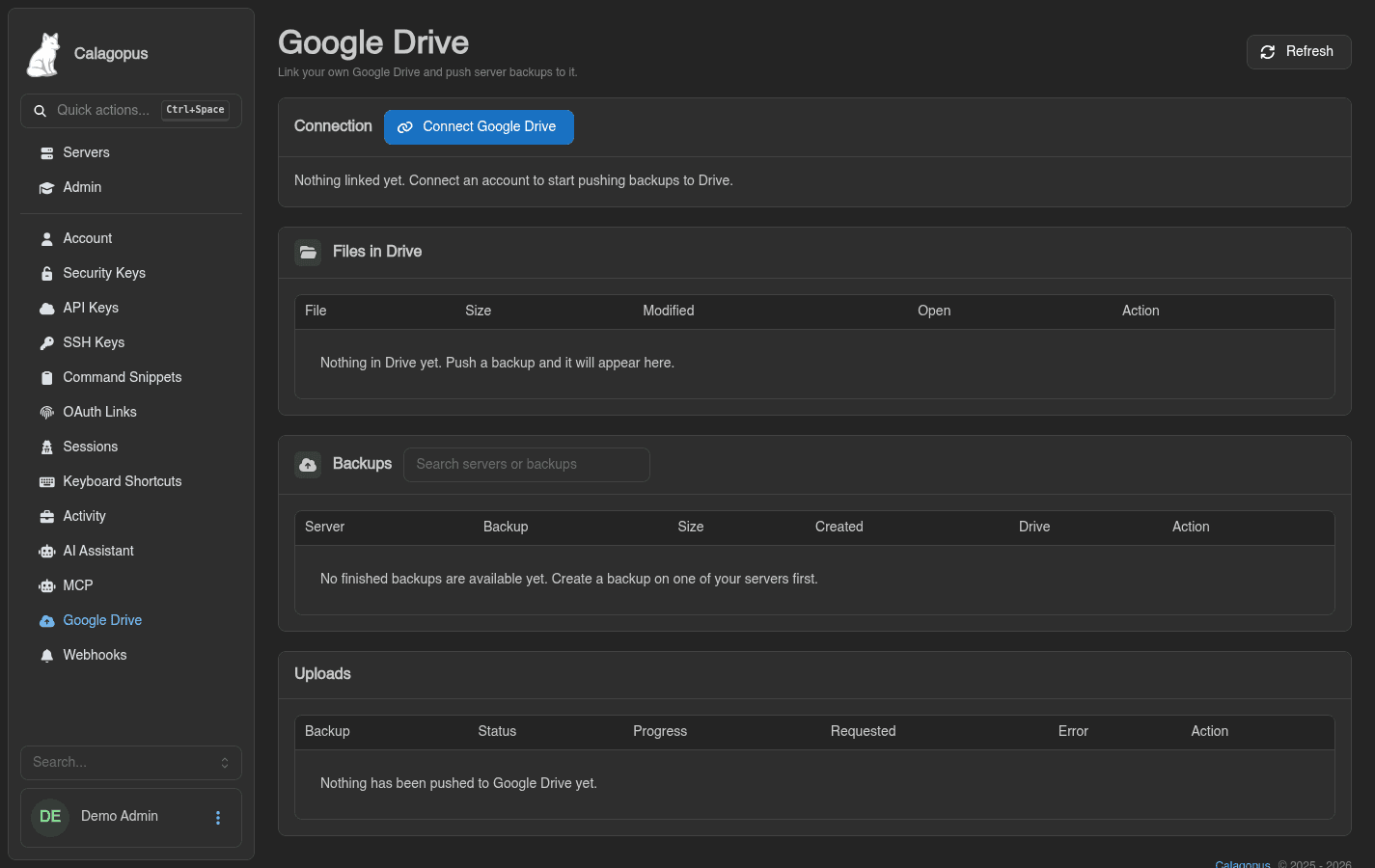
An extension for Calagopus that allows users to backup their servers to Google Drive