ExtensionsFree
Player Manager
by CaloptreyxCalagopus extension: manage players of Minecraft Java and Bedrock servers (online players, whitelist, operators, bans).
No ratings yet
Calagopus panel extension: Hytale server login from the panel, console helper and 0-click account linking
Calagopus panel extension: Hytale server login from the panel, console helper and 0-click account linking
Hytale Auth A Calagopus Panel extension that makes the Hytale logins of a server painless. A new Hytale server needs a Hytale account twice: once for the downloader that fetches the game files, and once for the server itself so players can join. Both are device code logins printed in the console. This extension does two things: • Automatic login (0-click): with a Hytale account linked in the panel, every start of a Hytale server is signed in by the panel. Nobody types /auth login device. • Console helper: whatever still needs a console login (the downloader's one-time login, or a server without a linked account) becomes a card with a button above the console. Package name: dev.caloptreyx.hytaleauth · Requires panel >=1.2.10 Made for servers on the Caloptreyx Hytale egg (game-eggs hytale/egg-hytale.yml, image ghcr.io/caloptreyx/games:hytale), and works with any egg that runs HytaleServer.jar. Console helper Above the console of every Hytale server (a start command running HytaleServer.jar, or an image named hytale), the extension reads the console output and shows what needs doing: • Download login. On the first start the Hytale downloader prints a link and a code. The card shows a Log in with Hytale button (the link with the code already filled in), the code with a copy button, and a countdown until the code expires. Once the download starts, the card says so and goes away. • Server login. When the server runs without a login, the card says that players cannot join and offers Authenticate server, which sends /auth login device. The server's link and code then show the same way. After the login went through, the card sends /auth persistence Encrypted by itself, so the server keeps its login, encrypted in its files, across restarts. A login typed by hand in the console is picked up too; the card then offers Keep login after restarts. • Profiles. When the Hytale account has more than one game profile, the card lists them; a click sends /auth select . • Status. While the server runs, a slim line shows whether it is signed in, as which profile, how (device login, saved login, linked account) and whether the login is saved. Check status sends /auth status. • Failures. An expired code, a cancelled or failed login and tokens the server rejected are shown with a way to try again. Only links to Hytale's own pages (https://…hytale.com/…) are ever shown as links. Permissions The card uses the panel's own permissions; the extension adds none for the helper: • Seeing the card needs control.read-console (it reads the console output). • Authenticate server, the profile buttons, Keep login after restarts and Check status send console commands and need control.console. Without it the card tells the user to ask someone who has console access. • Restart (shown when the downloader's code expired) needs control.restart. Automatic login An admin links a host account on the extension's page (Admin → Extensions → Hytale Auth). Users may link their own account under Account → Hytale Account. At every start of a Hytale server the panel picks the account: 1. the server owner's own account, when they linked one; 2. otherwise the host account. An account that cannot be used (its login died, or no game profile is selected) is skipped, so a user whose own login expired falls back to the host account. Servers with Auth Mode offline (AUTHMODE or --auth-mode offline) and servers whose automatic login was switched off get no login. The server's settings page shows a Hytale login card with the switch (permission hytale-auth.manage), the account the next start uses and how the last start went; the console card says which account signed the running server in. How it works This is the token passthrough of Hytale's Server Provider Authentication Guide (Method C). Linking runs the device code flow of the hytale-server OAuth client (scopes openid offline auth:server) in the panel: the page shows the link and the code, polls at the interval Hytale asks for, then loads the account's game profiles (the first is selected, others can be chosen). Wings fetches a server's configuration from the panel right before every start. The extension hooks into that configuration (RemoteApiServer): when Wings reports the server as starting, it creates a game session for the account's profile (/game-session/new) and adds HYTALESERVERSESSIONTOKEN and HYTALESERVERIDENTITYTOKEN to the container's environment. HytaleServer.jar reads them by itself and starts in EXTERNALSESSION mode, refreshing the session every hour while it runs. No egg or image change is needed; the tokens are never part of the start command, which the console echoes. The same configuration is built when the panel syncs a server to Wings (after schedule or startup changes) and when Wings boots. Those get the tokens the running container already has, so a sync does not flag the server for a restart and no session is created that no server uses. Wings also reports starting for as long as the server boots (and while the downloader waits for its login), so the session a start handed out is handed out again while it has more than 30 minutes left and the account and profile are unchanged (the panel keeps a SHA-256 digest of it to recognise it). A quick restart reuses it too. The panel never ends sessions itself, since a running server may hold them; unused ones expire within the hour. If anything fails (Hytale unreachable, the login expired, the session limit reached), the server starts anyway, without tokens. The error is shown on the console card, the server's settings card and the account, and the console helper takes over. What is stored, and how | Data | Where | How | | ---- | ----- | --- | | Refresh token, access token | devcaloptreyxhytaleauthaccounts | encrypted with the panel's APPENCRYPTIONKEY (the panel's own encryption, as for node tokens) | | Device code of a login in progress | devcaloptreyxhytaleauthlinks | encrypted the same way, deleted when the login ends | | Selected and available game profiles, status, last error | devcaloptreyxhytaleauthaccounts | plain | | Automatic login switch, last start result (profile, time, error) | devcaloptreyxhytaleauthservers | plain | Tokens and device codes are never sent to the browser and never logged. The only tokens that leave the panel are a server's game session tokens, in that server's container environment. Like any environment variable they are readable by code running in the server (plugins); they belong to that one server, expire after an hour unless the server refreshes them, and are replaced at every start. The account's refresh token never reaches a server. Every OAuth refresh returns a new refresh token and invalidates the old one, so refreshes of one account never overlap: one at a time per account inside the panel, and a row lock (SELECT … FOR UPDATE) around each refresh for panels with several instances. The new tokens are stored in the same transaction before the access token is used. Access tokens are reused until 5 minutes before they expire. Limits • Session limit. A Hytale game license allows 500 servers running at the same time. Beyond that Hytale refuses new game sessions (HTTP 403); the server starts without a login and the error says so. Link another account (a user's own, or a second license as host account). • 30 days. A refresh token expires after 30 days unused. The panel renews every linked account that was not used for 7 days (hourly background task hytale-auth-keepalive), so this only happens when the panel itself is down that long, or the login is revoked. The account is then marked Needs linking again and servers fall back to the host account or the console. • Downloader. The panel's login cannot download the game files. The Hytale downloader uses a different OAuth client (scope auth:downloader) and its credentials file is undocumented, so the console helper stays for the downloader's one-time login on a
Calagopus extension: manage players of Minecraft Java and Bedrock servers (online players, whitelist, operators, bans).

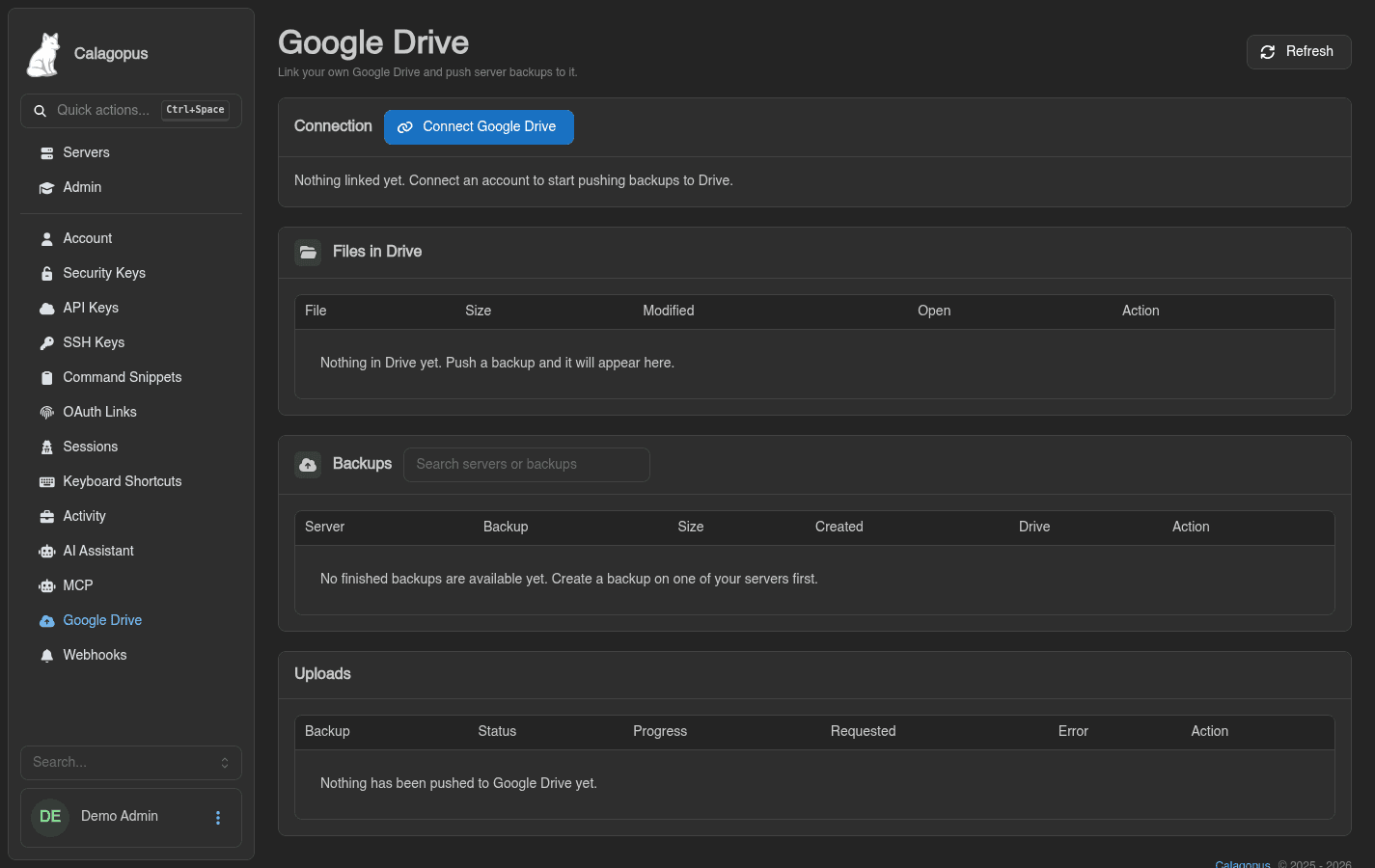
An extension for Calagopus that allows users to backup their servers to Google Drive