ExtensionsFree
Player Manager
by CaloptreyxCalagopus extension: manage players of Minecraft Java and Bedrock servers (online players, whitelist, operators, bans).
No ratings yet
Calagopus panel extension: AI assistant chat for users and admins, with confirm-before-act panel actions
Calagopus panel extension: AI assistant chat for users and admins, with confirm-before-act panel actions
AI Assistant A Calagopus Panel extension that adds an AI assistant chat to the panel. Server users ask it about their own servers, administrators about the whole panel. It reads freely (status, console, files, backups, schedules, settings, nodes, users) and proposes changes as action cards that only run after the user clicks Confirm. Package name: dev.caloptreyx.aiassistant · Requires panel >=1.2.10 Features • Server chat on every server for users with the ai-assistant.chat server permission. Server owners have it; give it to subusers like any other permission. Each chat is bound to its server and cannot reach other servers or the admin API. • Admin chat in the admin area for users with the ai-assistant.chat admin permission: nodes, users and servers overview, server tools for any server, and the whole panel API through searchapi / describeapi / readapi / writeapi. • Page or popup window: the chats live on an AI Assistant page in the server and admin sidebars, in a floating window opened from a button in the bottom-right corner, or both (setting Chat display). The window keeps its conversation while you move through the panel, can be minimised, and fills the screen on phones. • Streaming answers (server-sent events) rendered as Markdown (code blocks with a copy button, lists, tables; raw HTML is never rendered), compact tool-call chips with their results, a Stop button and Retry after errors. • Confirm before act: every change (power, console commands, writing/deleting files, settings, backups, schedules, startup variables, admin API writes) is shown as a card with a plain-language summary, the raw arguments one click away, and red styling for destructive changes. Rejected actions go back to the model as rejected. • Providers: any OpenAI-compatible chat completions API (OpenAI, OpenRouter, Groq, Ollama, LM Studio, vLLM, …) or Anthropic. API keys are stored encrypted and never leave the backend. • Bring your own key: users can add their own provider key under Account → AI Assistant; the administrator decides whether that is off, allowed or required. • Guardrails: messages per user per hour, tokens per user per day on the panel's key, model calls per message, tool output truncation, history window and conversation retention. • Conversations are kept per user (and per server) in the panel database and can be renamed and deleted. Screenshots Server chat: the assistant reads the server's files and proposes a restart as an action card that only runs after Confirm. Admin settings: bring-your-own-key mode, where the chat is available and the guardrails. Account → AI Assistant: users add their own provider key. Installation Download devcaloptreyxaiassistant.c7s.zip from the latest release and either upload it under Admin → Extensions or drop it into your heavy image's build/extensions/ directory and docker compose restart web. Extensions require the :heavy panel image (or a dev environment). The migrations create five tables prefixed devcaloptreyxaiassistant. Setup Open Admin → Extensions → AI Assistant (needs extensions.manage): | Provider | Base URL | Key | Model (example) | |---|---|---|---| | OpenAI | https://api.openai.com/v1 | sk-… | gpt-4o-mini, gpt-4.1 | | OpenRouter | https://openrouter.ai/api/v1 | sk-or-… | openai/gpt-4o, anthropic/claude-sonnet-4.5 | | Groq | https://api.groq.com/openai/v1 | gsk… | llama-3.3-70b-versatile | | Ollama | http://:11434/v1 | none | qwen3:8b, llama3.1 | | LM Studio | http://:1234/v1 | none | the loaded model | | Anthropic | (fixed) | sk-ant-… | claude-sonnet-4-5, claude-haiku-4-5 | | Google Gemini | https://generativelanguage.googleapis.com/v1beta/openai | AIza… | gemini-3.8-flash | Gemini 3 attaches a thought signature to its tool calls and rejects the next request of the turn unless it comes back; the assistant stores it with the call and sends it back to Google's endpoint only (other providers never see it). The model must support tool (function) calling and streaming. Test connection sends a one-word request with the saved settings. Keys are write-only in the UI: the page only shows whether a key is stored and its last four characters; leave the field empty to keep it. A hosted OpenAI-compatible provider needs a key; only a server on localhost or a private address (Ollama, LM Studio) may run without one. Other settings: | Setting | Default | Meaning | |---|---|---| | Server chat / Admin chat | on / on | Where the assistant is offered | | Chat display | Page | Page: an AI Assistant page in the server and admin sidebars. Popup window: a chat button in the bottom-right corner of every server page and of the admin area, no sidebar page. Both. The button only shows for users who may use that chat. Users see a change after reloading the panel | | Messages per user per hour | 30 | 0 = unlimited (panel rate limiter, per user); counts messages with the user's own key too | | Tokens per user per day on the panel's key | 500 000 | Input + output as the provider reports them (estimated at four characters per token when it reports none), only what the panel's key paid for; 0 = unlimited | | Model calls per message | 8 | Tool rounds before the assistant stops and reports | | Maximum answer length | 4096 | maxtokens for Anthropic | | Tool output limit | 12 000 characters | Console logs, files and API responses are cut (start and end kept) before the model sees them | | History sent to the model | 60 entries | Older entries of long conversations are left out | | Delete conversations after | 30 days | 0 keeps them | | Extra instructions | empty | Appended to the built-in system prompt | | User API keys | Allowed | Off: everyone uses the panel's key. Allowed: a user's own key is used when set, otherwise the panel's key. Required: the panel's key is never used for chats; users without a key are asked to add one | | Allow custom base URLs for user keys | off | See below | User API keys (bring your own key) Under Account → AI Assistant a user picks a provider (OpenAI, Anthropic, OpenRouter, Groq, Mistral, DeepSeek), enters the key and optionally a model, and can test or remove it. The key is encrypted with the panel's database key like the admin key and is never sent back to the browser, only its last four characters. Changes are written to the user's activity log. API keys with restricted scopes need the ai-assistant.key user permission. A user's key cannot point the panel at your internal network: by default only the listed providers are allowed. With Allow custom base URLs for user keys on, a user may enter any OpenAI-compatible URL, but the panel resolves its host, refuses it if any address is loopback, private, link-local, shared (CGNAT), multicast, reserved or a cloud metadata address (IPv4 and IPv6, including IPv4-mapped, NAT64 and 6to4 forms), refuses names like localhost or .internal, then connects only to the addresses it checked (so a DNS answer that changes later is not used) and never follows redirects. The administrator's own provider URL is not restricted. Permissions and confirmation The assistant can never do more than the user could do by hand: 1. Every tool is a sequence of requests to the panel's own API, sent through the panel's router as the chatting user (the same mechanism as Cal MCP, whose tools this extension reuses). The panel's permission manager, subuser permissions, admin checks, suspension, rate limits and activity log apply to every request exactly as for the browser. While an administrator impersonates a user, requests carry the impersonation header so the panel's impersonation rules apply too. 2. Tools the user lacks permissions for are not offered to the model (for example readfile needs files.read-content, listusers needs the users.read admin permission) and are refused again if the model calls them anyway. 3. Changes need confirmation. A changing tool call is stored as a pending action and shown as a card; nothing is sent to the
Calagopus extension: manage players of Minecraft Java and Bedrock servers (online players, whitelist, operators, bans).

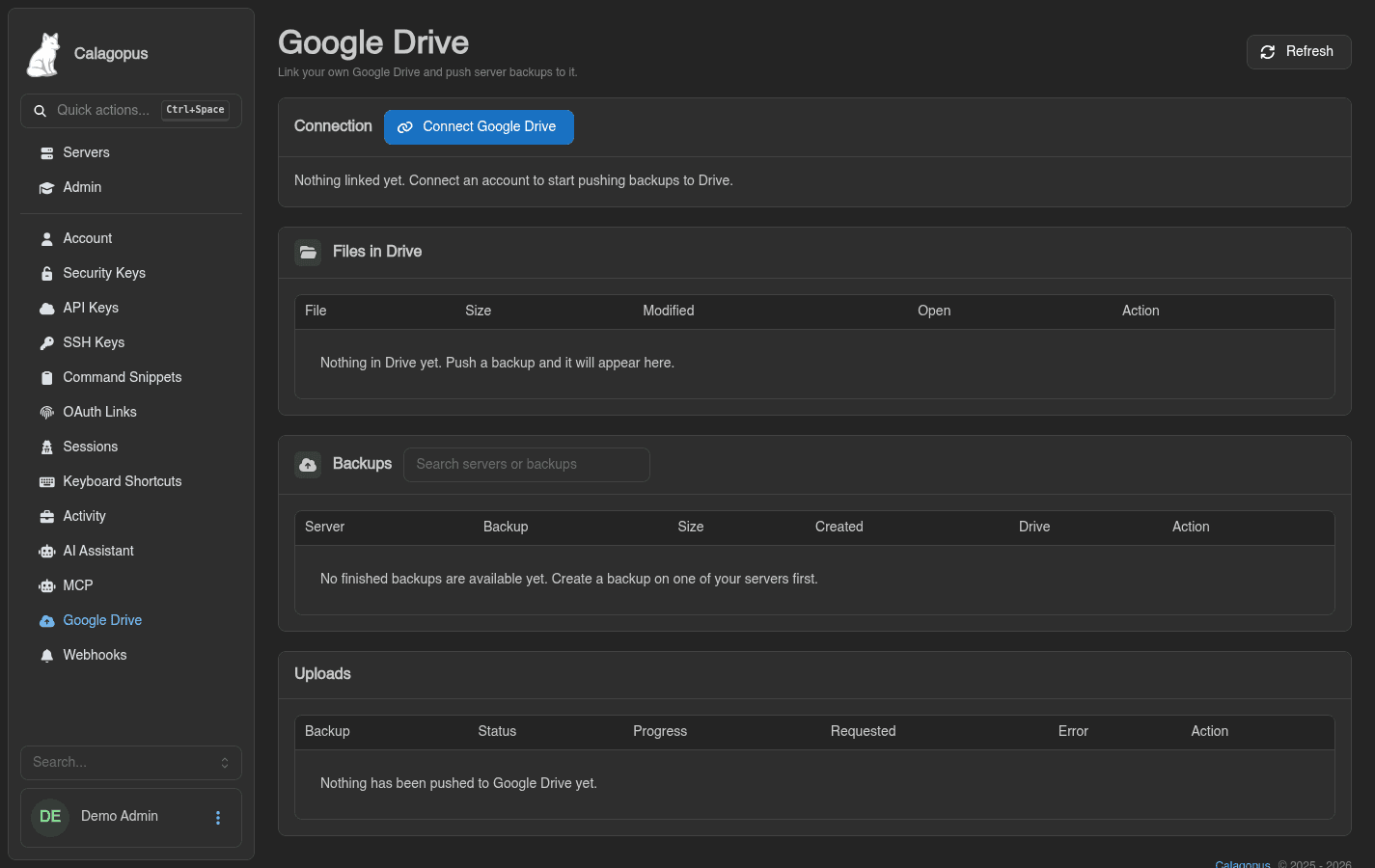
An extension for Calagopus that allows users to backup their servers to Google Drive